I wasn’t looking for a platform to record my video podcast.
I’d been using StreamYard to record the Social Media for B2B Growth podcast for the best part of five years. I knew how to use it; guests could join without any trouble; it was reliable, and I could livestream whenever I wanted.
Then StreamYard sent me a notification that it was going to jack up my price from around $800/year to almost $4,000/year!!!! I would now be forced to go onto a Business plan and not use it as an individual creator.
That was the push I needed to look properly at the alternatives.
I tested Riverside, Restream, Boomcaster and Descript to see whether any of them could replace Streamyard for my video podcast, while still giving me the option to run an occasional livestream.
But my comparison came with one important requirement that won’t apply to everyone.
I need to use a green screen.
It isn’t optional because of the way my room is set up. A platform could offer excellent recording quality, separate tracks, AI editing tools, and a much lower price, but if it couldn’t handle my green screen properly, it wouldn’t work for me.
I also needed to consider more than what happened while I was recording. My podcast still had to be edited, turned into video content and prepared for publishing.
This is my honest experience of all five platforms, based on the job I actually need them to do.
What I Needed From the Platform
My video podcast was the priority. Livestreaming mattered, but only occasionally.
I needed:
- Reliable green-screen or background replacement
- Clean edges without flickering or parts of the image disappearing
- Good video and audio quality
- Separate downloadable tracks
- A simple experience for guests
- Camera controls that worked properly with my Logitech Brio
- Occasional LinkedIn and YouTube livestreaming
- A price I could justify
This also meant I had to ask a bigger question:
Was I looking for one platform that could do everything, or was I better off using the best recording platform alongside a separate editing tool?
That became one of the most important parts of the comparison.
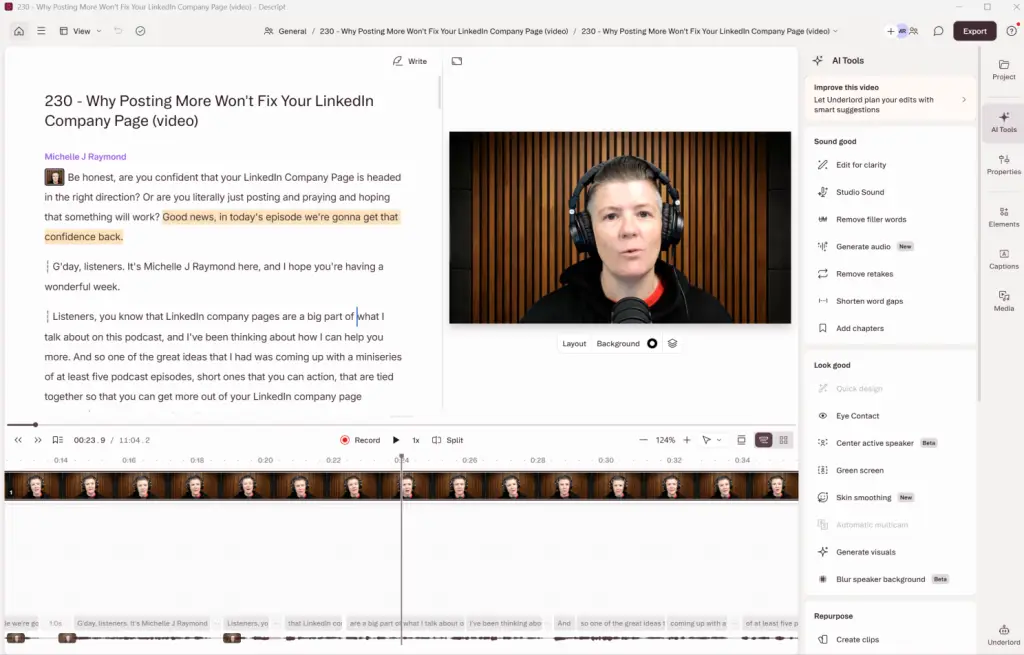
Descript: Could It Become the Centre of My Workflow?
Descript was slightly different from the other platforms I tested. I’ve been a longtime user, and I do all my editing in Descript. However, this was my first time trying Descript Rooms Recordings.
My Pros
- No need to pay for any new subscriptions
- Recording and editing the file could be done in one place
My Cons
- No livestreaming capability. Would need to use something else for this.
- Templates for layouts weren’t there.
- Had trouble getting the HD1080 recording, and it wanted to stick with 720.
- Didn’t handle my greenscreen great. Some of which can be handled in post-production if I’m just recording.
Final Verdict on Descript
I’ll still be a big fan of Descript as it makes my podcast production so easy, but it won’t be an option to replace StreamYard on the recording side.
I recommend you test it for yourself if you aren’t using it to edit your videos.

Restream - Came Highly Recommended
I’ve only ever used Restream as a guest and not as the producer. It did, however, come highly recommended by several people in my community whom I respect.
My Pros
- 🎬 Anya Razinareached out to offer help and was very responsive in my DMs. Real human support seems rare these days.
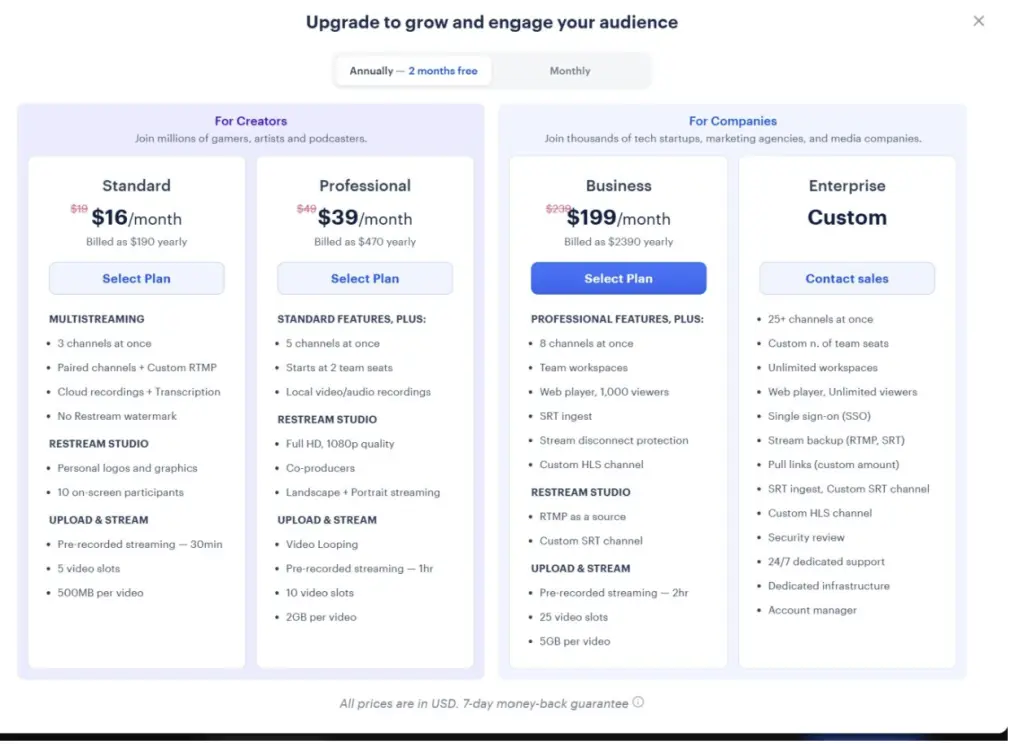
- The price point was really competitive and offered good value for the features included.
- Reasonably simple interface to find your way around.
- Does what it says and isn’t overwhelming with features you won’t need.
- Ok job with the green screen but couldn’t adjust it.
My Cons
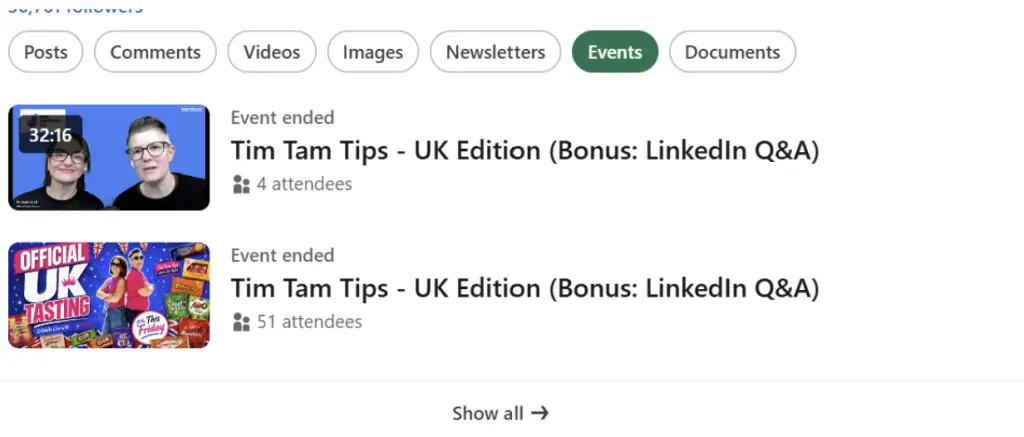
- Really hard to work out the process for setting up LinkedIn Live and connecting it with Restream. I tried to apply the same process I used in StreamYard, where you create the LinkedIn event first and match it to the event in Restream, but somehow ended up with a new event. So, we lost the people who had accepted the invitation to the LinkedIn live. I’m sure experience would fix this, and the recommendation is to set up in Restream first.
- A couple of technical things for me were missing, e.g., testing sound to make sure I was connected right. Could only test the mic, not the speakers.
Update: Here is the help article from Restream for setting up LinkedIn Lives and connecting in Restream.
Final Verdict on Restream
If you are looking for something that is relatively simple and not overwhelming with features, this is it. Sometimes you just need something that does the job at a good price and nothing more. That’s not a bad thing, and I think Restream does a good job of this.
Boomcaster - The Wildcard
I’d never heard of Boomcaster until Neal Veglio nominated it as his choice. I trust Neal when it comes to quality for Social Media for B2B Growth Podcast strategy, so this was no different.
Knowing Neal, I knew that this would focus on high-quality audio recordings, and indeed it did. I’m not an audio expert but you can tell from all the settings options this is a focus.
My Boomcaster Pros
- Good starter pricing options
- Livestreaming destinations are easy to connect to
- High-quality recordings – both local, web and Studio Composed, which is the best of the best
My Boomcaster Cons
- Some issues with Green Screen video. The Boomcaster team are looking into this for me. I resolved this in post-production in Descript, but it wouldn’t have been great if I were live streaming.

Riverside 2.0 - Would It Live Up To The Hype?
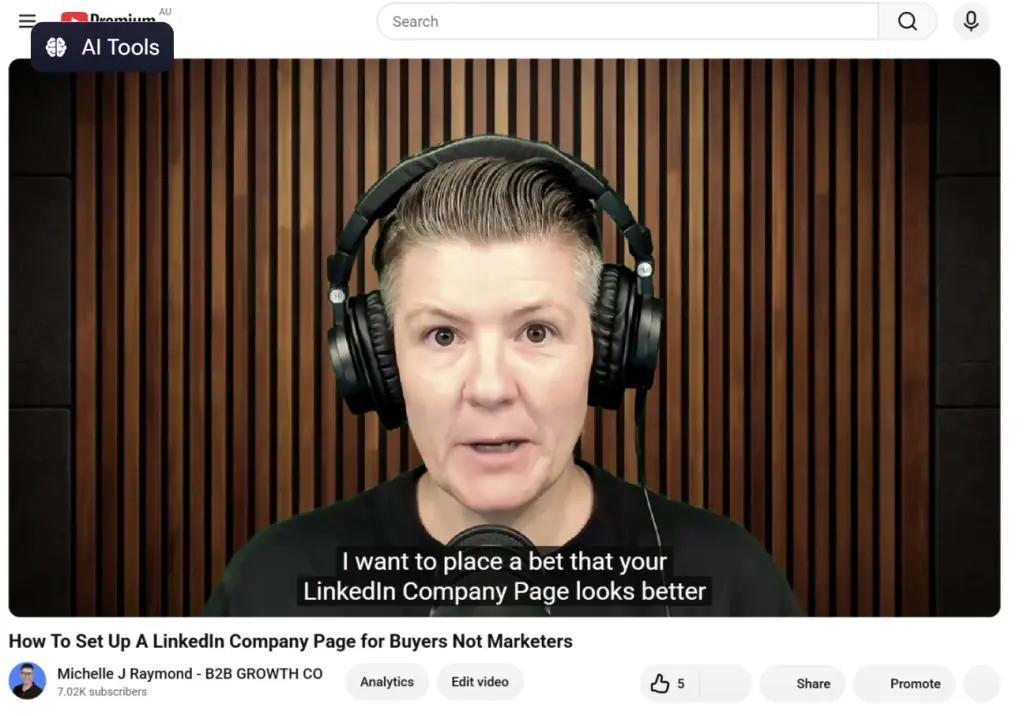
I have to say that, historically, I haven’t been a fan of Riverside. I’ve used it as a guest on other people’s podcasts and have had issues with recordings buffering. I couldn’t change my green screen background and a few other things. It’s the one platform I’ve had to do more re-recordings than any others.
Recently, Riverside launched 2.0, which, in their words, was a complete rebuild of the platform. Lots of AI features, newsletters and soon-to-come MCP. The changes are to help people record, edit and create content all in one place.
My Riverside Pros
- The layout is quite intuitive and easy to work around
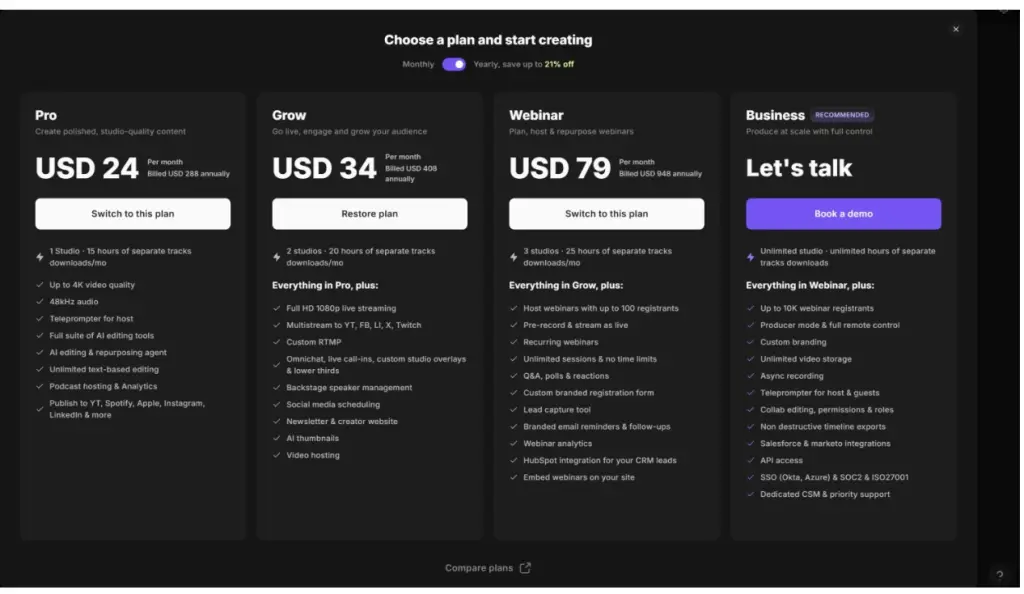
- Lots of features included for the price. Excellent value
- All–in–one option for recording, livestreaming, editing, social clips etc
- Potential to save on other subscriptions
My Riverside Cons
- I’m still hesitant to trust the platform will do what it needs to – record quality. Need to do more testing both on my side and as a guest
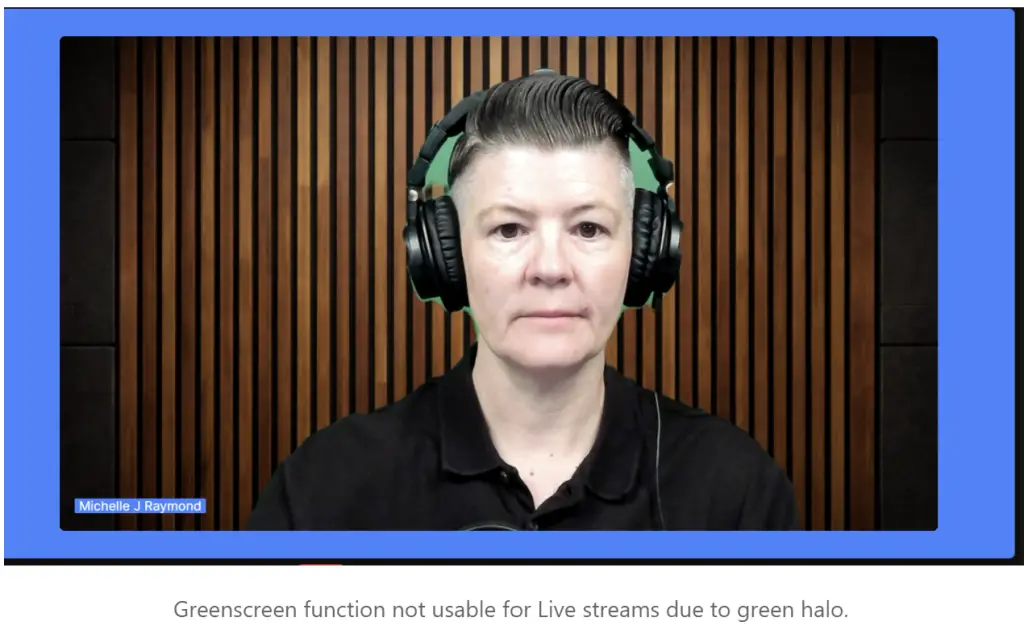
- The Green Screen function isn’t great. It’s AI, not Chroma Key, so maybe this will improve with time
- Grrr – planned a “Recording” but somehow there is a default that was on to Go Live to Socials. I wasn’t planning to go “Live”. So I ended up with a version on LinkedIn I didn’t want to go there. 😡
My Final Riverside 2.0 Verdict
In terms of best bang for buck, Riverside would be hard to beat. Especially when it lets you save on other subscriptions. But I still hesitate to recommend this until I’ve done enough research to fully trust the 2.0 version.
If it turns out to be reliable, this is certainly an option I’d consider for both my podcast and my livestreams.
One Platform or a Combination of Tools?
At the beginning of this process, I assumed I was looking for one direct replacement for StreamYard. By the end, I realised there were two possible decisions.
1) Is it going with an all in one.
2) Would multiple products replace Streamyard and other tools in my process?
That raised a practical question:
Is an all-in-one platform genuinely simpler, or does it mean accepting average performance across several important parts of the workflow?
Updated Final Verdict
I started this process because StreamYard’s proposed price increase forced me to question whether it was still the right platform for my video podcast.
What I expected to be a simple search for a cheaper replacement turned into a much broader review of my entire production workflow.
I needed a platform that could record a high-quality video podcast, work reliably with the green screen I have to use, make things easy for my guests and still give me the option to livestream occasionally.
The final decision wasn’t only about which platform produced the best recording. It was about which combination of tools created the best result without adding unnecessary cost, technical problems or extra work.
My recording choice: I’m going to try Boomcaster for the next few months while I test Riverside.
My editing and repurposing choice: Descript
My livestreaming choice: Boomcaster or Riverside
Would I still pay more for StreamYard?Honestly, StreamYard is still my preferred tool, but even on an individual plan, it is still double the price and not worth that additional investment.
Ultimately, there is never a one-size-fits-all approach that can work. You will need to do your own testing to see what works best for your own set-up, goals, budget and personal preferences.
I wish there was a clear winner I could say with conviction, but what I did learn is that you will need to try these out for yourself. Tools other people might like might not work for you or your workflow.
I can say that all of the tools I’ve mentioned are worth considering.
Cheers